
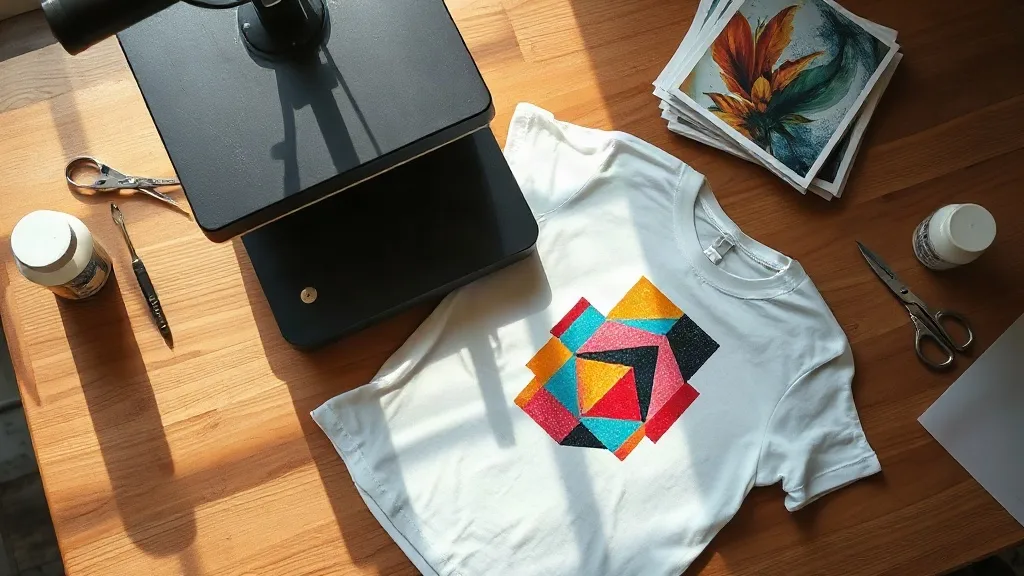
Most people who try dtf transfers for the first time run into the same wall: the print looks fantastic on the transfer sheet and disappointing on the shirt. The film peels correctly, the press temperature seems right, yet the finished design feels plasticky, cracks at the edges, or fades after three washes. The problem is rarely the transfer itself. It is almost always a mismatch between the artwork, the fabric, and the pressure settings, and those three things are entirely within your control.
This guide walks through how direct-to-film printing behaves in real workshop conditions, where to spend your attention, and which mistakes cost the most time and material. If you run a small print shop, sell at markets, or just want your own designs to survive a laundry cycle, the details below will save you a stack of ruined blanks.
What Actually Happens Inside a DTF Transfer
A dtf transfer is a layered sandwich. A printer lays down water-based pigment inks in reverse onto a coated PET film, then a powder adhesive is applied while the ink is still wet. The powder sticks only where ink exists, which is why the adhesive layer mirrors your design exactly. Heat melts that powder into a flexible glue, and pressure bonds it to the fabric fibers.
That sequence matters because each stage introduces a variable. Ink load affects how much powder adheres. Humidity affects how the powder cures. Press temperature affects whether the adhesive flows into the weave or sits on top of it. Understanding the layers explains nearly every troubleshooting question you will encounter later.
Why the Powder Step Is Not Optional
Some beginners assume the powder is a manufacturing shortcut. It is the opposite. Without the adhesive layer, pigment ink has no mechanical grip on textile fibers and will wash away within a few cycles. The powder is what turns a printed image into a bonded film that flexes with the garment instead of flaking off it.
Artwork Prep That Prevents Most Failures
Transfer quality is decided long before the press closes. A few habits at the design stage eliminate the majority of complaints.
- Keep fine detail above 1mm. Hairline strokes and tiny serif fonts often lose definition once the adhesive softens. If a detail disappears at 100% zoom on your monitor, it will disappear on fabric.
- Use transparent backgrounds carefully. Semi-transparent edges create partial powder coverage, which reads as a dirty halo around the design. Flatten soft shadows into solid edges when possible.
- Respect the printable width. Gang sheets save money, but designs pushed to the extreme edge of the film often press unevenly. Leave a margin of roughly 5mm.
- Mirror the file. The transfer is printed face down, so anything with text must be flipped. This is the single most common first-run error and the easiest to prevent.
Color management deserves its own note. Screen colors and pigment inks do not share a gamut, and bright neons in particular will shift. If a client sends a brand color, request a physical proof or print a small test swatch before committing to a full gang sheet.
Building a Gang Sheet Without Wasting Film
Nesting designs tightly looks efficient but creates problems. Adjacent images with no gap can bleed adhesive into each other during the powder shake-off, producing fuzzy borders. A 3 to 5mm gutter between designs keeps edges clean and makes cutting simpler. Rotate odd-shaped logos to fill dead space rather than shrinking them, since scaling down is what degrades small text.
Press Settings by Fabric Type
There is no universal temperature, and anyone who gives you one number is assuming a specific film and adhesive. Treat the following as starting points, then adjust based on how the film releases.
Cotton and Cotton Blends
Medium pressure at around 150 to 160 degrees Celsius for 10 to 15 seconds is a reliable baseline. Cotton tolerates heat well, so you have room to work. The tell is the peel: if the film releases cold and clean with a slight matte finish, the bond is good. If it feels sticky or pulls at the edges, add a few seconds.
Polyester and Performance Fabrics
Lower the temperature to roughly 130 to 140 degrees and shorten the press time. Polyester is heat sensitive and can glaze or shrink under aggressive settings. It also accepts dye migration, meaning dark inks can absorb color from the garment over time. A low-bleed film or a blocker layer solves this, and it is worth the small extra cost on dark polyester.
Nylon, Canvas, and Hard-to-Bond Textiles
These surfaces need more dwell time rather than more heat. Extending the press to 20 seconds at moderate temperature usually outperforms cranking the dial. For nylon, a pre-press of a few seconds to remove moisture noticeably improves adhesion.
Peel Technique and the Second Press
Cold peel is the standard for most DTF films, but the phrase hides a nuance. Cold means the film has cooled to the touch, not that you should wait five minutes. Peel within a minute or so, at a shallow angle, starting from a corner. Yanking upward while the adhesive is still warm stretches the design.
The often-skipped step is the second press. Once the film is removed, cover the design with parchment or a Teflon sheet and press again for 5 seconds. This re-melts the adhesive into the weave and dramatically improves wash durability. Skipping it is the main reason prints that look perfect in the shop fail after a month of wear.
Durability: What to Tell Your Customers
Wash performance depends on the garment as much as the print. Give clear care instructions and you will cut returns significantly.
- Turn the garment inside out before washing.
- Use cold water on a normal cycle, avoiding heavy agitation.
- Skip fabric softener, which leaves a residue that weakens the adhesive bond.
- Tumble dry low or hang dry. High heat is the primary enemy of any heat-applied print.
- Do not iron directly over the design. If pressing is needed, use a cloth barrier on the reverse side.
Realistically, a well-pressed transfer on compatible fabric will outlast the garment itself under these conditions. Poorly pressed transfers on the wrong fabric may show edge lifting within five washes, which is why the second press and correct temperature matter so much.
Sourcing and the Local Question
When people search for dtf transfers near me, they are usually weighing two things: turnaround time and whether they can see a physical sample before committing. Local suppliers win on speed, but not every city has one. Online ordering with a small test sheet first is a sensible compromise, and it lets you verify color accuracy against your own monitor before placing a bulk order.
Ask any supplier three questions before ordering: what film brand they use, whether they print on a single or dual-head machine, and what their policy is on color variance. A supplier who answers those clearly is usually careful about the rest.
Reading a Transfer Sheet Before You Press It
Hold the sheet up to light. Even coverage, no visible pinholes in solid areas, and a uniform matte adhesive layer all indicate a healthy print. Patchy or glossy spots suggest uneven powdering and will likely show as weak points after washing.
Common Questions From Printers
Can I layer DTF transfers on top of each other?
Yes, but order matters. Press the bottom layer fully, including the second press, then apply the top layer. Keep total layers to two or three; beyond that the print becomes stiff and prone to cracking at flex points.
Why does my transfer look faded right after pressing?
This is usually trapped moisture. Pre-press the garment for 5 seconds to drive out humidity, and check that your parchment cover is dry. Fading that appears only on dark fabrics may also indicate the ink is sinking into a textured weave rather than bonding to it.
How long can I store unused transfers?
Stored flat, away from direct sunlight and humidity, most films remain usable for several months. Stacking sheets face to face can transfer adhesive between them, so keep them separated with the backing intact.
Is DTF suitable for small one-off orders?
It is one of the better options for short runs precisely because there are no screens or setup fees. A single shirt costs the same per unit as the hundredth, which makes it practical for samples, personalization, and market stalls.
Do I need a special heat press?
A standard clamshell or swing-away press works. What matters is consistent pressure across the platen and an accurate temperature reading. An infrared thermometer is a cheap way to confirm your press is actually reaching the number on the display.
Where to Focus First
If you take one thing from this guide, make it the combination of correct temperature and the second press. Those two steps account for the largest gap between amateur and professional results. Artwork prep and fabric matching come next, and both improve with a simple habit: keep a notebook of settings, film batches, and outcomes. After a dozen jobs you will have your own reliable reference that no generic chart can replace.